
How Scoring Works
Kynaix supports both rally scoring and traditional side-out scoring. Your tournament organizer sets the format — you just record each rally as it happens.
Step 1
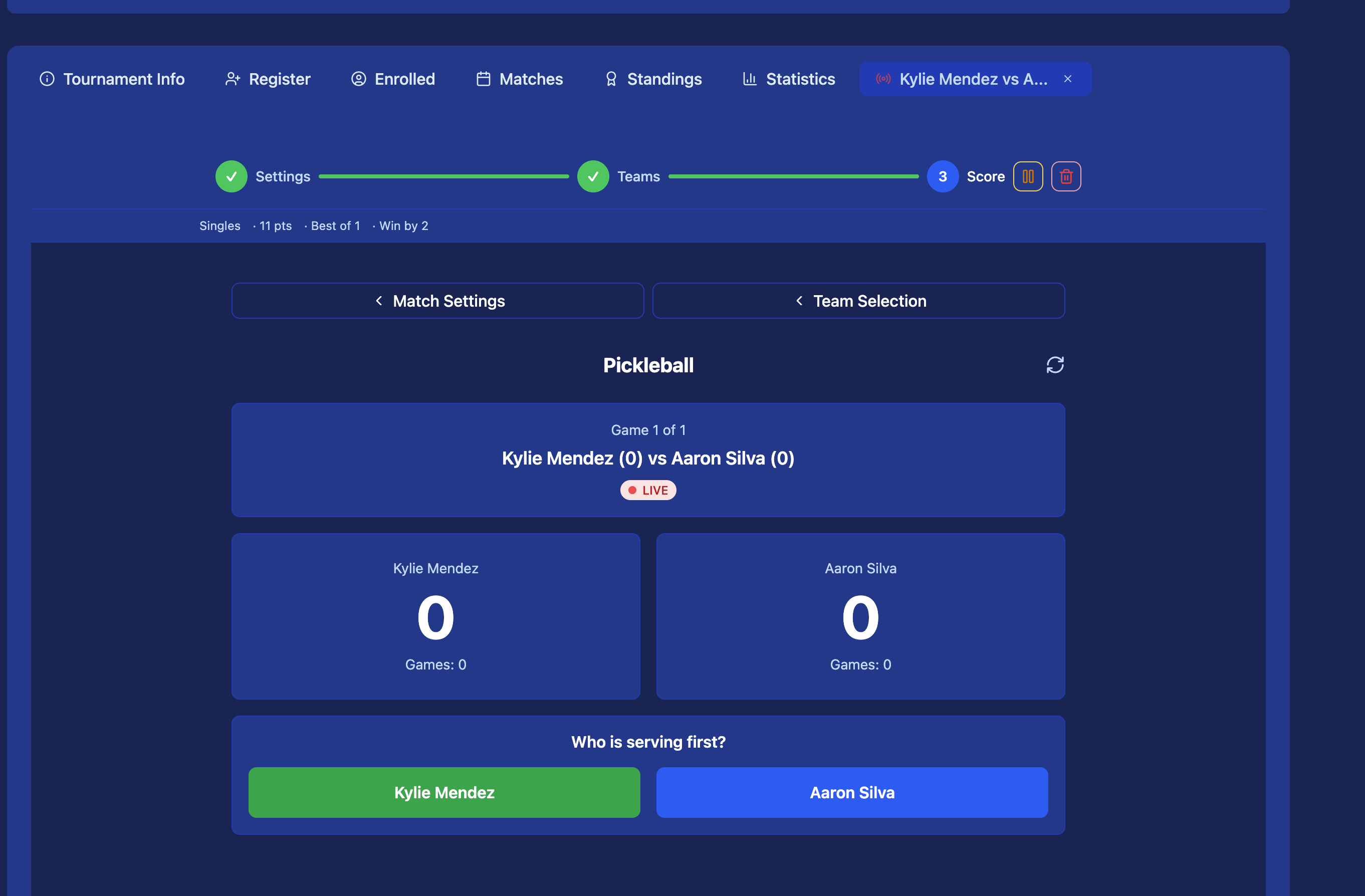
Open the live match from your schedule. Tap Start Match when play begins.
Step 2
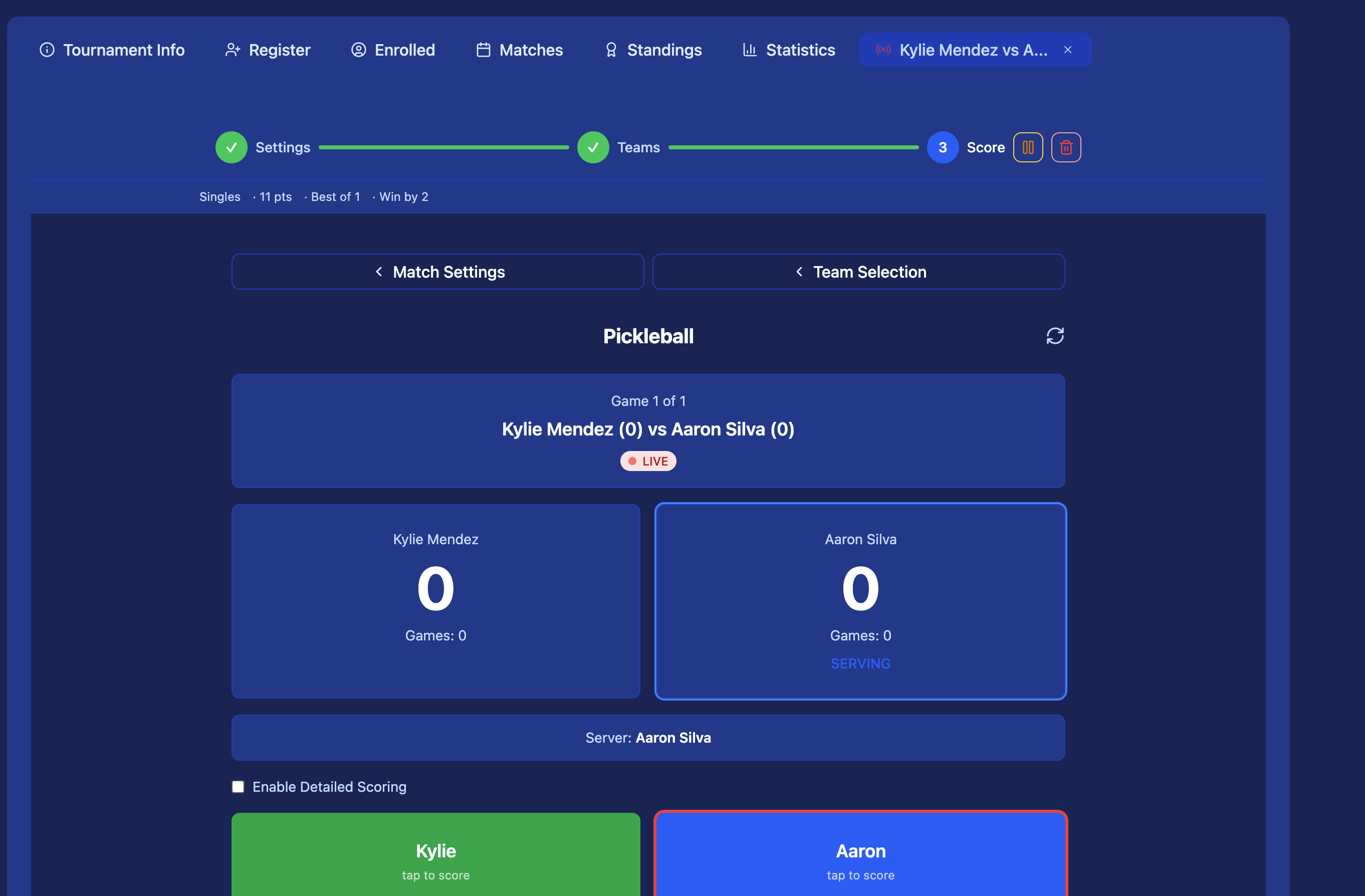
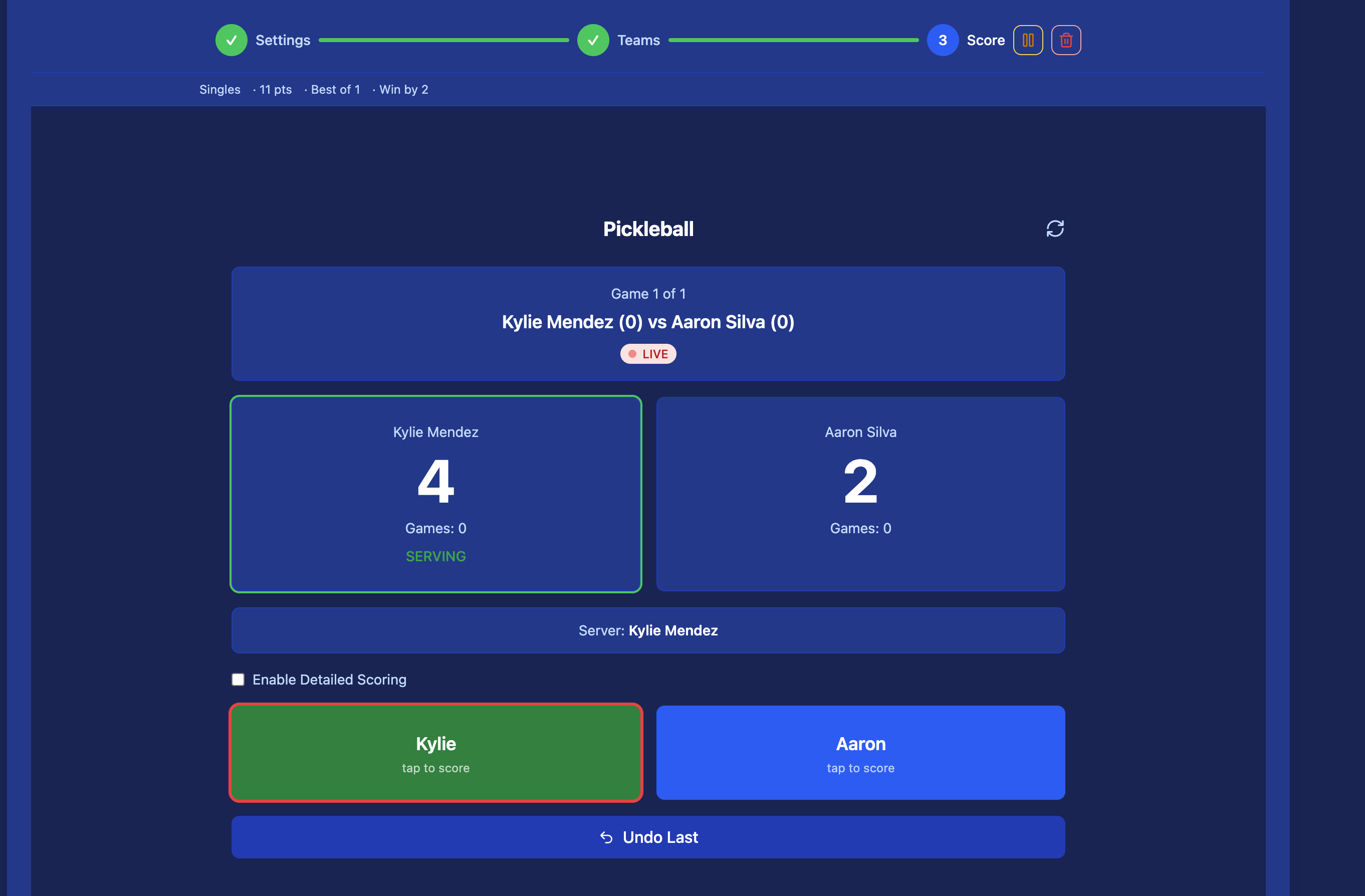
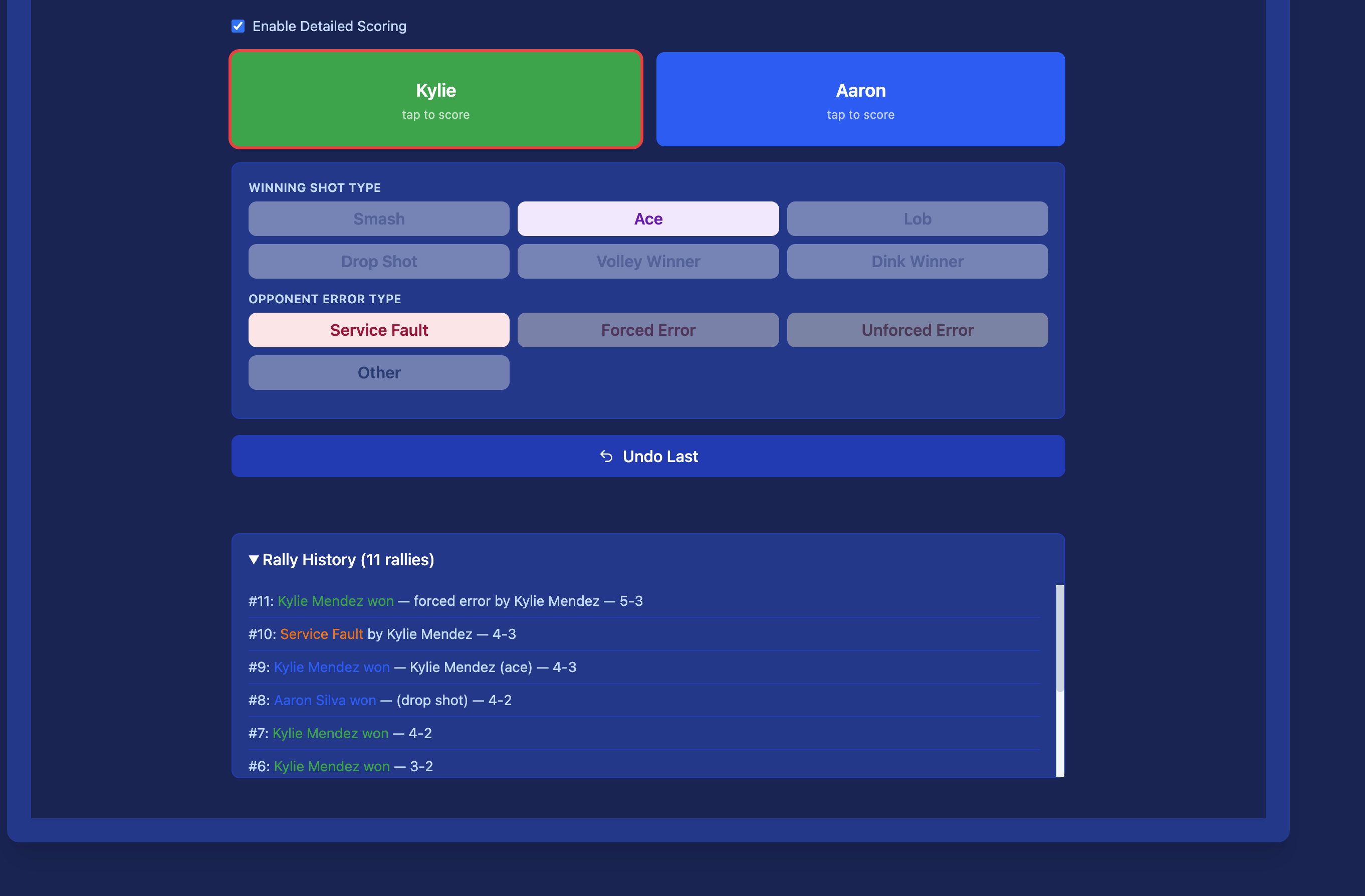
After each rally, tap which team won the point. The app tracks the score and server automatically.
Step 3
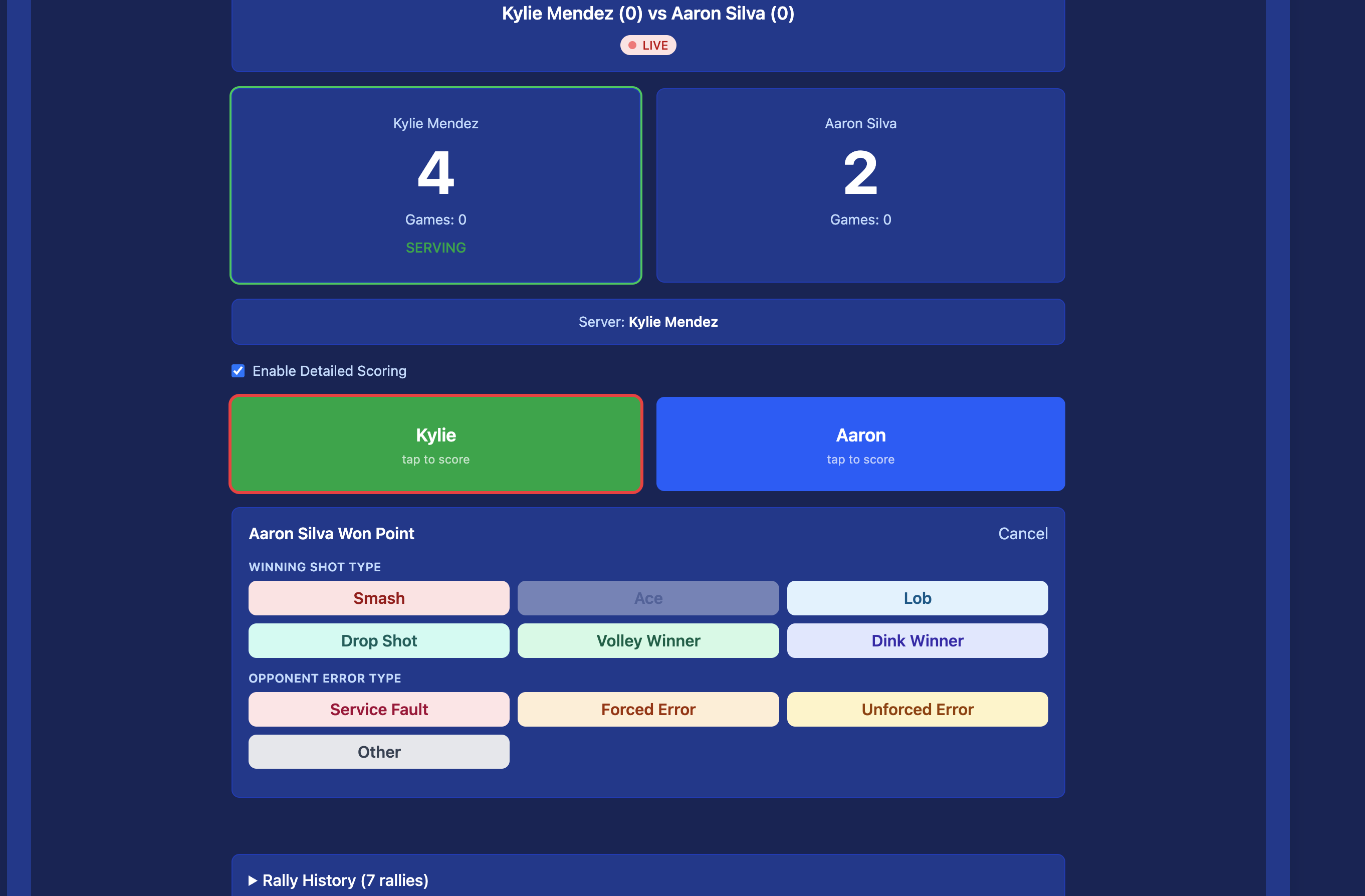
Optionally record the shot type — dink, drive, lob, smash, or service fault.
Step 4
When a game ends, confirm the result. Move to the next game or end the match.
Scoring Formats
Your organizer configures the format before the tournament. Here's what each option means.
Rally Scoring
- A point is scored on every rally regardless of who served
- Games typically go to 11 or 15, win by 2
- Faster games, more common in tournaments
Side-Out (Traditional) Scoring
- Only the serving team can score a point
- Games go to 11, win by 2
- The app handles server rotation — you just record who won the rally
💡 Not sure which format? Check the tournament details page — the organizer sets this before registration opens.
Stats Tracked Per Match
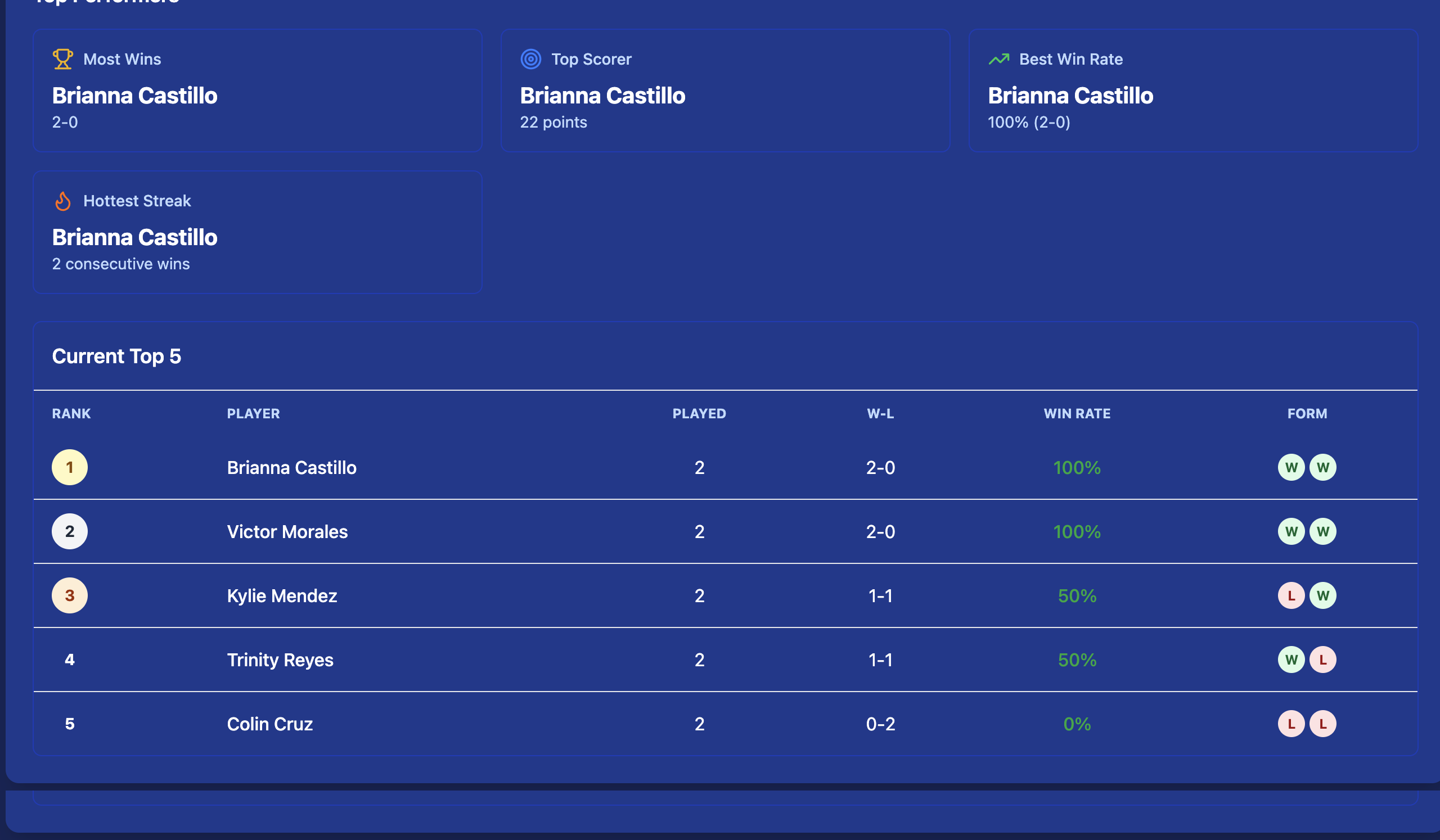
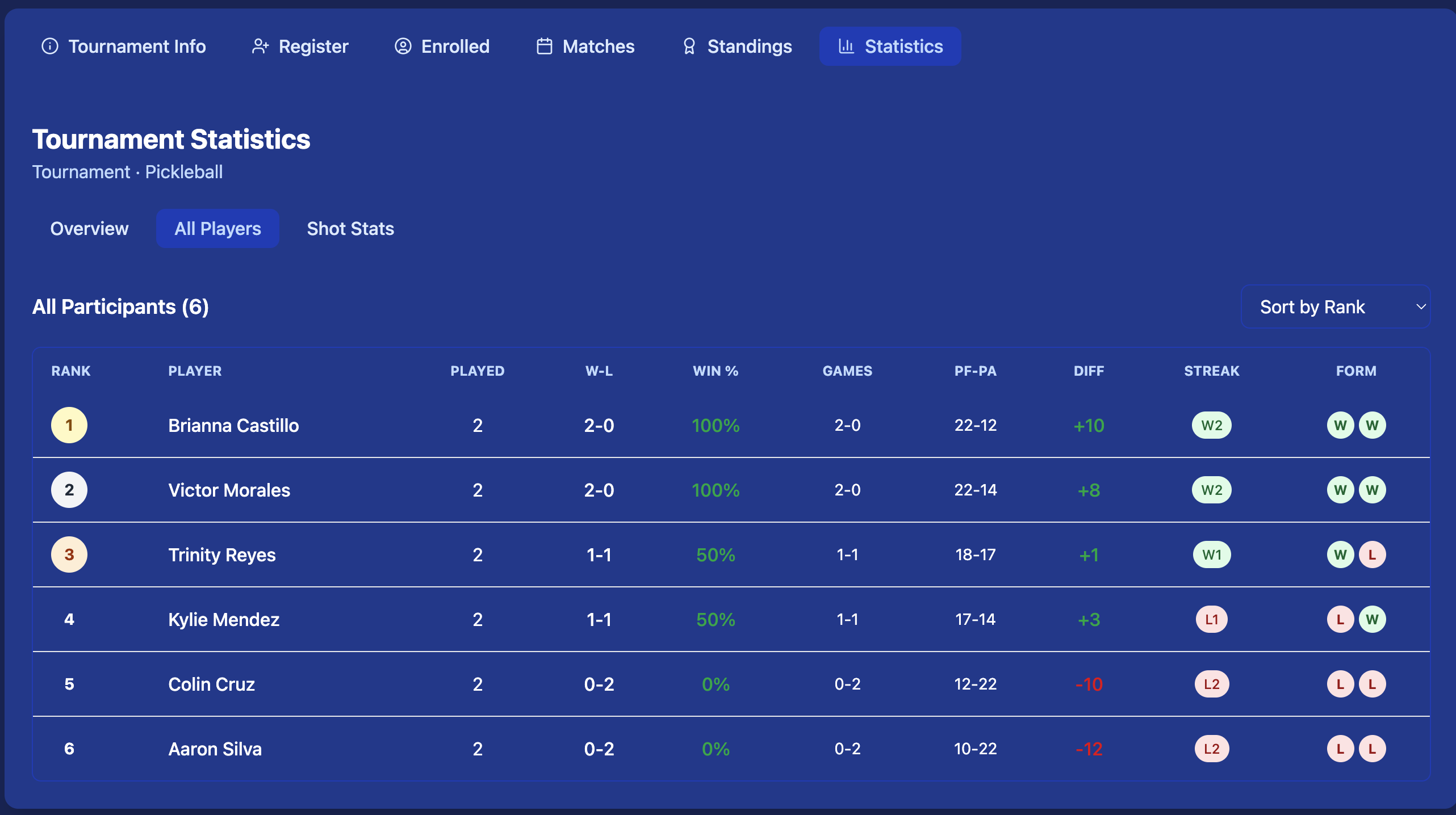
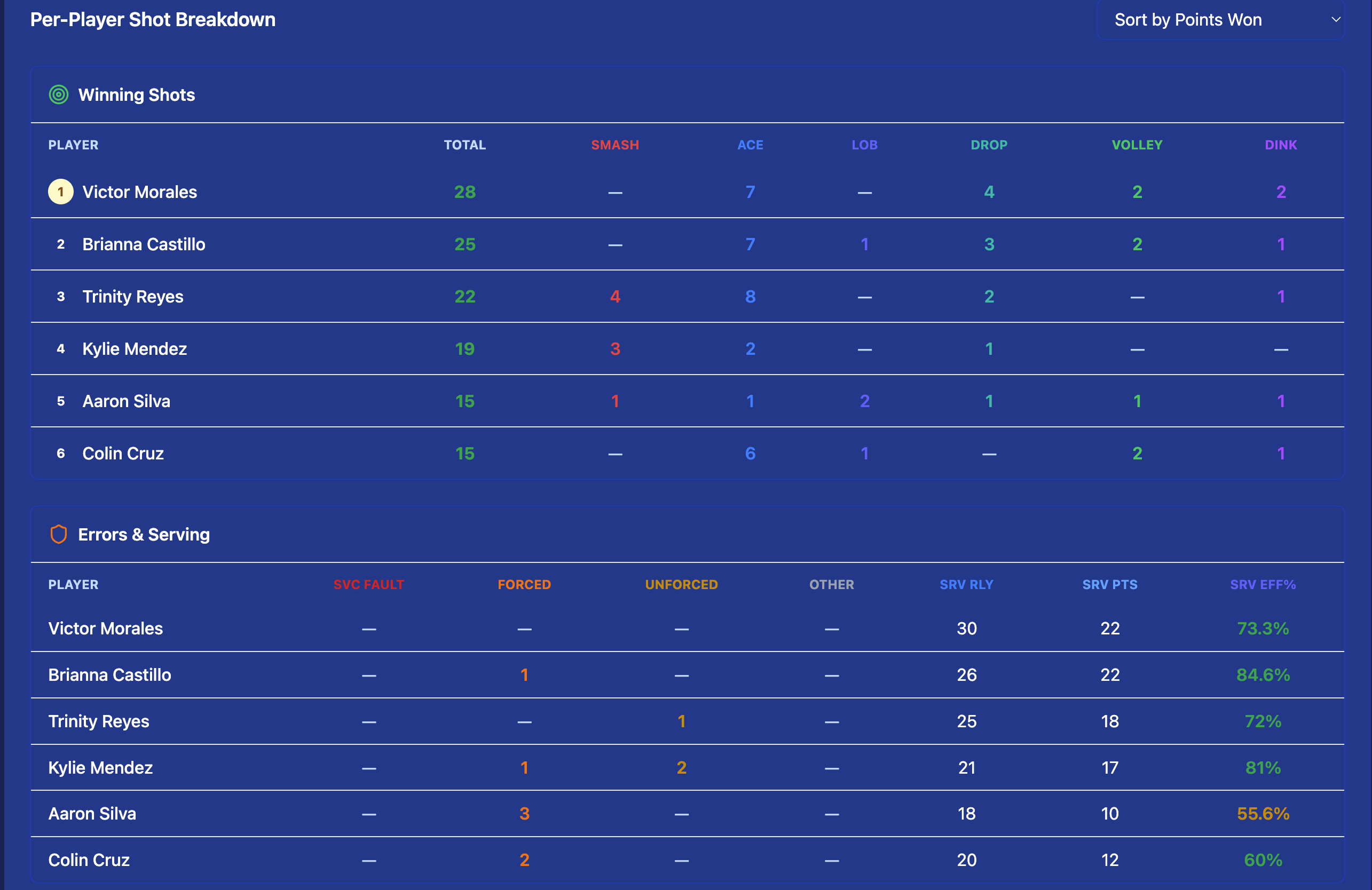
Every rally you record contributes to player and team stats, visible live to all participants.
Winners
Unreturnably good shots
Errors
Unforced mistakes into net or out
Dinks
Soft shots into the kitchen zone
Drives
Hard flat shots from baseline
Smashes
Overhead power shots
Faults
Service faults and foot faults
Run your pickleball tournament on Kynaix
Free to create. Live scoring from day one. Works on any device.
Get Started Free →